Do you have a favorite blog and want to let the author and readers know that you are a fan? Well now you can do that and more with the Blogger Following feature! You can even keep track of the blogs you follow via your
Reading List on the Blogger dashboard.
How do I become a Follower of a blog?
There are several ways to become a follower of a blog. One of the easiest ways is to visit a blog that has added the Following widget and click on the "Follow" button under the "Followers" widget:
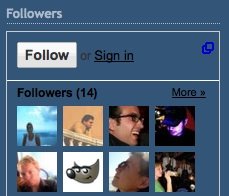
You'll then see a popup window with the options to either follow
publicly or privately:
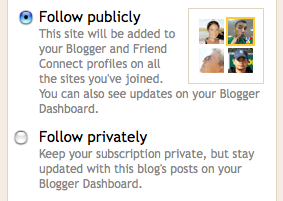
Select how you'd like to follow the blog, then click the "Follow this blog" button. It is that simple, you are now a follower of the blog! If you elected to follow the blog publicly, your profile picture will be displayed on the blog with a link to your Blogger profile (Note: The widget may not show all followers of the blog. If this is the case all followers will be linked from the widget). When you become a follower of a blog, the blog will also be added to your
Reading List on your Blogger dashboard and this site will also show on your FriendConnect profile for all the sites you've joined using Friend Connect. Additionally, you can become a follower of any blog or URL (even if the blog doesn't have the Followers widget) by adding the blog to your Reading List on the dashboard.
How to remove yourself from following a blog
The easiest way to remove yourself from following a blog is to visit the blog, and click "Settings" under the Following widget on the blog.
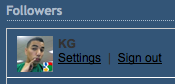
You will then see a pop-up window with your profile settings. Click the "Stop following this site" link and you will be removed from following the blog. If the blog doesn't have a Followers widget, you can still stop following the blog. To do so, go to the "Blogs I'm Following" tab under your Reading List on your dashboard.


